Product tour

VendoPulse features: checkout, stock and reports

VendoPulse combines checkout and split payments with stock, staff access, and reports on your register. The owner Business Hub adds online receiving, stock groups, and selected register summaries with compatible builds.

7 daysFree trial on every account — no card needed
3 daysRenewal grace so a missed date does not stop the counter
6 devicesLargest plan — all sharing one renewal date
Your choiceLocal stock tools or optional online stock integration

See the workflow

Show visitors the register before they commit.

These illustrative samples introduce the register. Match the guide to the controls available in your installed version.

Try the interactive cashier sample
CASHIER MODE

A calmer counter for every shift.

Owners can lock a device with a PIN so cashiers see checkout, products, history, returns, drawer, receivables, hardware, and backup tools while owner pages stay out of the way.

Try the cashier sample
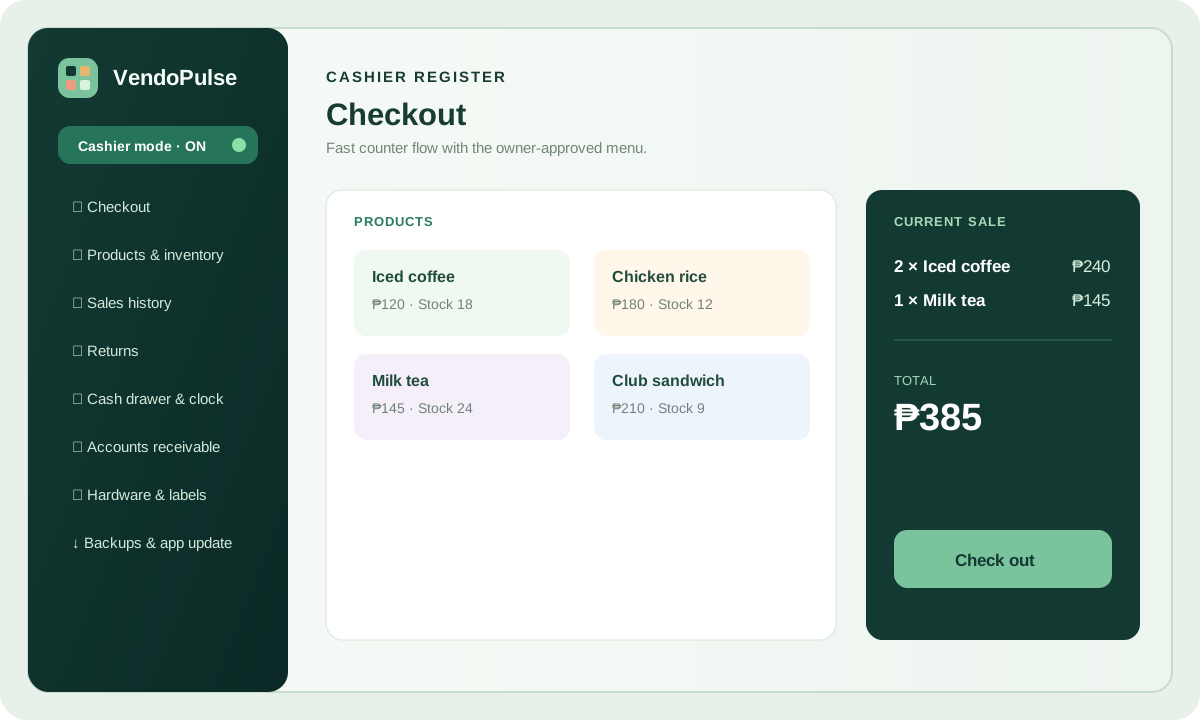
VendoPulse Cashier Mode sample screen
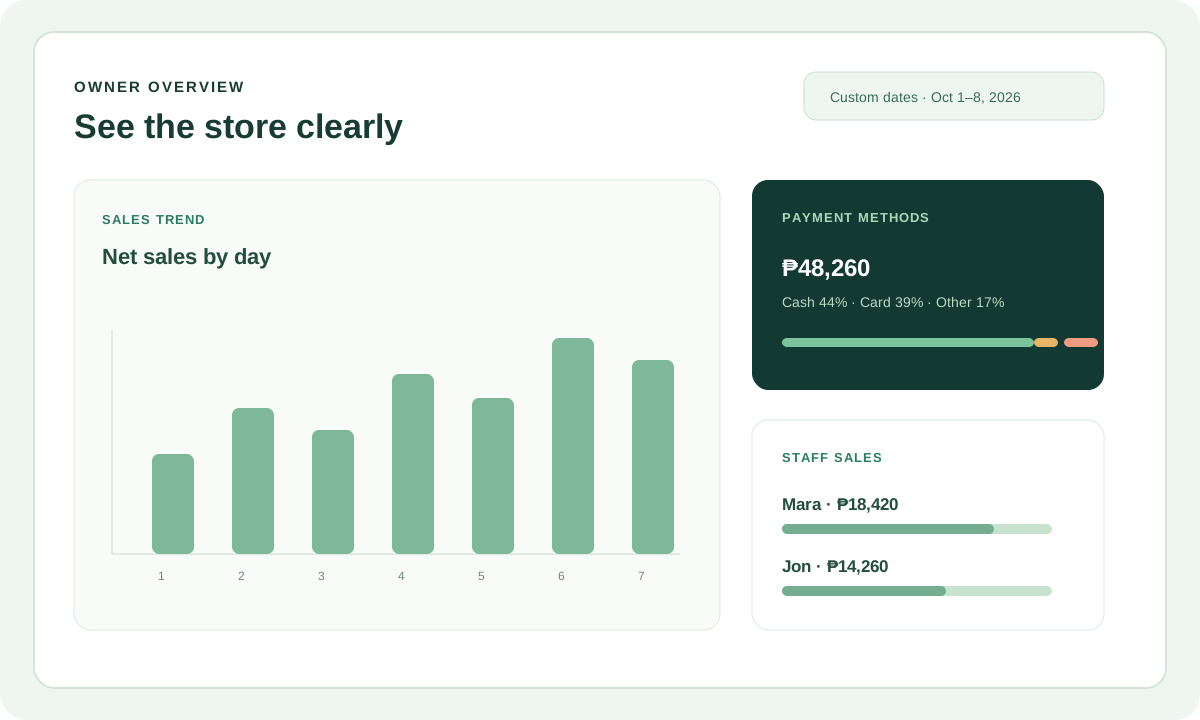
VendoPulse owner overview sales trend sample
OWNER OVERVIEW

Turn daily sales into a useful view.

Bar charts, payment methods, staff sales, and custom date ranges help owners act quickly.

One workspace

The daily tools, in detail.

Local checkout and reports work on the register within its authorization window. Sign-in, the Business Hub, stock sharing, and summary delivery use online services. Feature availability depends on the installed version; plans differ by device count.

CHECKOUT & SALES

Sell quickly, recover safely.

Built for a busy counter where the customer is already waiting.

  • Search or scan items into the cart
  • Collapse the side panel for more room for products, checkout, and the calculator
  • Record cash, card, and other payments
  • Take scan-to-pay QR — show your GCash QR for the exact amount and confirm when it arrives
  • Park a sale and resume it later
  • Find the original sale and process returns
  • Keep selling through connection drops
CHECKOUT OPTIONS

Split payments and custom add-ons.

Add priced extras or notes to an item, then record cash, card, online, or mixed tender for the completed sale.

  • Cash with change due
  • Card and online payment references
  • Split tender on one sale
  • Item add-ons shown on the receipt
PRODUCTS & STOCK

A catalog that stays honest.

Choose local stock tools, or manage linked inventory through the website with a compatible POS build.

  • Item names, codes, categories, units, and prices
  • Receive stock and track it per location
  • Online deliveries are approved on the assigned register
  • Shop groups share stock through recorded movements
  • New UUID stock-card workflow: website Purchase Price → POS unit cost; Sales Price → retail price
  • Labels and barcode workflows
  • Stock levels visible at the register
EMPLOYEE ACCESS

Every sale keeps its cashier.

Staff sign in with their own profile, and access stays explicit.

  • Employee profiles with named access levels
  • Sign-in PINs managed in one place
  • Sales recorded against the serving staff member
  • Cashier mode keeps owner pages locked
OWNER REPORTING

Answers instead of spreadsheets.

Clear summaries generated from the same local records you already keep.

  • Sales trends over custom date ranges
  • Payment method and staff sales breakdowns
  • Financial statements and account logs
  • Receivables and payables tracking
  • Searchable history by date
BACKUPS & RECOVERY

Leave the day with a restore point.

Encrypted backups you control, stored wherever you keep files.

  • Encrypted restore points, always password-protected
  • Catalog-only or full workspace backups
  • Move a catalog to a new device
  • Read-only access if a subscription ends
  • POS backups and Hub backups are separate
  • Online integration transfers selected summaries and stock movements
DEVICES & SUBSCRIPTION

Approve registers with a scan.

Device management lives in My Account — no support ticket needed.

  • QR approval for new registers
  • Rename, revoke, or replace devices anytime
  • All devices share one renewal date
  • Adding a device starts no new billing month
  • Subscription status checked online
SETUP & BRANDING

Make it feel like your store.

Owner touches you set once in Business setup — kept on each device.

  • Add your store logo beside the store name at the top
  • Store identity sits near the top of Business setup
  • Pick a comfortable color theme for the device
  • Logo and theme stay on the device that set them

How the pieces connect

From first sale to end-of-day report.

AT THE COUNTER

The cashier sees only what the moment needs.

Checkout, product lookup, sales history, returns, the cash drawer, and the clock — reachable in one tap, on a screen simple enough for a new hire on day one. Owner-only pages stay hidden behind the PIN.

  • Search and scan in one field
  • Park and resume sales
  • Returns with the original record
  • Drawer count at shift close
VendoPulse cashier mode screen
CASHIER VIEW

One screen, one job.

AFTER THE SHIFT

The owner sees the whole day in one place.

Review detailed local reports on the register. Compatible registers can also send selected daily and financial summaries to the Business Hub. Partial readings remain provisional until closing; offline or missing registers can make the online view incomplete. Keep regular backups of both workspaces.

  • Trends and payment splits
  • Staff sales and hours
  • Financial statements
  • Fresh encrypted backup
VendoPulse owner overview screen
OWNER VIEW

The day, already summarized.

Website integration

Stock receiving, Shop inventory, and the POS work from connected records.

Approved website receiving adds In. Completed linked POS sales add Out. The stock ledger derives Balance, with returns and corrections shown separately. The owner chooses syncing ON or OFF and assigns registers to stock groups.

Explore the full integration guide

Excel-compatible imports use CSV or TSV, with a review before saving. This is not a live connection to Microsoft Excel. New UUID catalogue controls require a compatible updated POS build; check availability.

The VendoPulse direction

Reliable store tools that respect local data.

Our goal is to help independent stores keep selling and keep their records under their own control, even when the connection is unavailable.

⌂

Offline-first operations

Keep products, sales, stock, staff, and accounting records on the store device.

↗

Simple recovery

Move a catalog or full workspace with clear restore files when a device changes.

◒

Better owner visibility

Review register summaries and shop stock groups in the owner Hub while keeping detailed receipt history on the register.

+

Clear release availability

Website updates and installed-app updates ship separately. Check the published platform versions before enabling a new workflow.

Keep exploring

Where would you like to go next?

Ready when you are

Give your team a calmer register.

Start the free seven-day trial and activate your first register from your account page.

Start free trial